Cybersecurity Awareness Month: New videos, games, and ready-to-use resources

Product updates

Attachment Inspection

Agentic Email Security

Today, we're launching Attachment Inspection in Adaptive Email Security, which lets analysts preview supported PDFs and images and review file details, embedded links, and QR code destinations without ever opening the attachment on their own device.

Adaptive Email Security is built on an agentic architecture. A swarm of AI agents reads every inbound email in the context of your company, reasons about what it is trying to get someone to do, and removes threats automatically while explaining why. Most of the time the agents have already done the work before an analyst ever looks. Attachment Inspection is for the moments when your team wants to see the evidence for themselves.

Between attachment inspection and link inspection, Adaptive Email Security now gives analysts a full sandboxing suite for two of the most frequent places phishing payloads live.

What's in Attachment Inspection

Analysts start an inspection from any supported attachment on an Email Security event, and Adaptive returns the evidence alongside the original message and the agents' analysis.

  • File preview. A safe rendering of the PDF, JPG, or PNG so analysts can see what the recipient was sent.
  • File details. The core information about the attachment for a quick read on what it is.
  • Embedded links. URLs pulled out of the file so analysts can spot hidden destinations at a glance.
  • QR code destinations. Any QR code found in the file is decoded to show where it actually leads, since attackers increasingly hide payloads in images that text scanning can't read.

Why It Matters

Attachments carry evidence that never shows up in the email body. When analysts can't see it quickly, they either spend time spinning up an outside tool or make a call with half the picture.

Attachment Inspection removes that detour. Instead of downloading a file, moving it to an isolated machine, and opening it there, the analyst clicks once and reviews the preview and extracted evidence right next to the email and the reasoning Adaptive's agents already produced. A routine file review that used to take several tools and several minutes now happens in one place.

It also keeps analysts safe. The suspicious file never touches their laptop, so there is no risk of an accidental open turning an investigation into an incident.

How It Fits Into Your Existing Workflow

Adaptive Email Security already assesses every email automatically and runs attachments through malware checks as part of its core detection. The agents handle the volume. Attachment Inspection gives your analysts a deeper look whenever they want to verify a decision, explain it to a stakeholder, or dig into a message that caught their attention.

If your team is already using Link Inspection, this will feel familiar. The same investigation view now covers both links and attachments, so analysts can follow a threat wherever it hides. An embedded link pulled from a PDF can be inspected with Link Inspection, and if you want to go further, Adaptive’s VirusTotal integration is one click away.

There is nothing new to configure and no new tool to learn. It is simply more of the evidence your analysts need, in the place they already work.

Available Now

Attachment Inspection is live for all Adaptive Email Security customers. Open any Email Security event with a supported attachment and start an inspection to see it in action. If you'd like a personalized walkthrough, book a demo today.

Email Security Employee Digest

Agentic Email Security

Introducing Employee Digests in Adaptive Email Security: a scheduled email that shows each employee which messages Adaptive removed from their inbox and tells them what to do if something looks wrong.

See more about Email Security Employee DigestSee less about Email Security Employee Digest

What's in Employee Digest

Each morning, every employee who had messages removed gets a short digest listing the subject, sender and time of each message, along with where it went. Employees with nothing removed don't get an email, so nobody receives an empty digest.

The digest reads as if it came from your security team. You set the sender name and write the message employees see, so you can point them to your helpdesk or explain exactly how to request a release. If you've set up a custom sending domain, the digest sends from your own domain. Each employee receives it in their preferred language, with 40+ languages supported.

Why It Matters

Removing threats is only part of the job. Employees also need to trust that legitimate mail isn't disappearing without a trace. The digest gives them that visibility and lets them flag a false positive the same day instead of discovering weeks later that an important email never arrived.

For security teams, that means fewer "where's my email?" tickets and no need to build mailbox rules or custom notifications to keep people informed.

How It Fits Into Your Existing Workflow

Employee Digest lives in your Email Security settings and uses the same notification sender and translation setup you already rely on for other employee communications. Turn it on, preview it, adjust the subject and message, and it runs on its own every day at 9:00 AM in your company's time zone.

Available Now

Employee Digest is live for Email Security customers today.

Email Security Webhooks and REST API

Agentic Email Security

Most security teams already run their day out of a central system. Alerts land in a SIEM, response runs through a SOAR, and work gets tracked in a ticketing tool. When email threats live in a separate console, analysts end up checking one more screen and copying sender, subject, and verdict details into tickets by hand before they can act.

See more about Email Security Webhooks and REST APISee less about Email Security Webhooks and REST API

Today, we're launching Email Security Webhooks and REST API, which connects Adaptive Email Security to your SIEM, SOAR, or ticketing tools so detections and remediations flow directly into your existing security workflows.

What's in Webhooks and REST API

The release works in two directions. Adaptive tells your system what happened, and your system tells Adaptive what to do.

Webhooks send a new alert to your system once Adaptive finishes analyzing an email. Each alert includes the email details, Adaptive's analysis, and the initial remediation state, so your tools get the full picture without anyone opening another console.

You control which alerts flow out by filtering on three dimensions.

  • Classification sends Malicious alerts, Spam alerts, or both.
  • Review status sends only the events that need a human decision, or every analyzed event.
  • Source narrows alerts to Detection, User Report, Similar Fetch, or Denylist.

The REST API lets your SOAR, ticketing tool, or custom automation work with those events directly.

  • Get current details pulls the latest email details, analysis, related messages, and remediation status for any event.
  • Take action quarantines an email, moves it to spam or trash, or marks it safe or spam. Move actions can also cover existing and future similar messages.
  • Undo remediation restores the emails moved for an event.
  • Manage rules lets you view, add, and remove Adaptive allowlist and blocklist rules.

Why It Matters

Email threats now get handled where the rest of your security work already happens. Analysts no longer need to watch the Adaptive console for every alert or rebuild email details in a ticket by hand. The alert arrives with the email details, the analysis, and the remediation state already attached.

That turns a multi-step manual handoff into a single automated flow. A malicious email can be detected by Adaptive, routed into your SIEM, picked up by a SOAR playbook, and quarantined along with its similar messages without anyone switching tools. When an analyst needs more context, the API returns the latest analysis and remediation status on demand.

It also covers a requirement most enterprise security teams bring to every email security evaluation. Alerts go into the systems you already use, and response can be automated end to end.

How It Fits Into Your Existing Workflow

Nothing about how your team works has to change. You point Adaptive at an endpoint you control, whether that's Splunk, Sumo Logic, Tines, ServiceNow, or your own middleware, and build the workflow the way your SOC already runs.

Teams logging everything for visibility can stream every analyzed event into their SIEM. Teams focused on response can send Needs Review alerts into a ticket queue and let analysts close them out from there. Teams with mature automation can let SOAR playbooks act on Malicious verdicts directly, and the same playbook can undo a remediation if a call needs to be reversed.

Allowlist and blocklist rules can be managed from that same automation, so the policy decisions your SOC makes stay in sync with Adaptive.

Available Now

Webhooks and the REST API for Adaptive Email Security are live today. Full details on supported events, filters, and actions are available in the Adaptive developer documentation. If you'd like a personalized walkthrough of the Adaptive Security suite of products, including Agentic Email Security, book a demo today.

Cybersecurity Awareness Month 2026 Toolkit

Security Awareness

Cybersecurity Awareness Month takes planning, from content and posters to emails and enough activities to keep employees engaged throughout October.

See more about Cybersecurity Awareness Month 2026 ToolkitSee less about Cybersecurity Awareness Month 2026 Toolkit

Today, we're launching Adaptive's Cybersecurity Awareness Month 2026 Toolkit, which brings that work into one ready-to-use, four-week campaign focused on AI threats.

What's in the Toolkit

The free download includes everything you need to run this month with your team.

  • 12 videos include 8 core videos and 4 bonus videos featuring Conan O'Brien.
  • 48 poster files cover 16 designs in vertical, horizontal, and square formats.
  • 4 newsletters give you one for each week.
  • 5 email templates include a kickoff email and one per week.
  • Implementation guide walks you through rollout step by step.

Each week covers a different topic.

  • Week 1 (Oct 5 to 9) covers AI Basics.
  • Week 2 (Oct 12 to 16) covers Deepfakes and Impersonation.
  • Week 3 (Oct 19 to 23) covers Targeted AI Attacks.
  • Week 4 (Oct 26 to 30) covers Shadow AI and Agents.

Why It Matters

The campaign draws on real 2026 incidents involving a deepfake job applicant, an AI agent carrying out most of an attack on its own, and sensitive files uploaded to a public AI tool. Employees learn how these attacks work and what to watch out for in their own work.

The toolkit is free, with no account, form, or purchase required.

Available Now

Download it today from the Cybersecurity Awareness Month page. Adaptive customers can find the collection under Training, then Content Library, then Cybersecurity Awareness Month October 2026.

To see how training works in Adaptive, book a demo or take a tour of the platform.

Calendar Phishing Detection and Remediation

Agentic Email Security

A malicious calendar invite doesn't wait for anyone to open it. Google Workspace and Microsoft 365 add invitations to the calendar automatically, so the event lands on an employee's schedule before they've read a word of the email. Removing the email used to leave that event behind with its reminders and its link, which meant security teams had to chase it down calendar by calendar or ask employees to ignore a meeting that kept popping up.

See more about Calendar Phishing Detection and RemediationSee less about Calendar Phishing Detection and Remediation

Today, we're launching Calendar Phishing Detection and Remediation, so when Adaptive catches a malicious calendar invite, it takes the event off every recipient's calendar along with the email that delivered it.

What Launched

When Adaptive moves a malicious email to spam, trash, or quarantine, it also deletes the calendar event that email created, so the meeting, its reminders, and its link disappear from the employee's schedule in the same action.

Around that, we've made calendar attacks fully visible across the platform.

  • Calendar remediation. Malicious events come off employee calendars automatically in both Google Workspace and Microsoft 365, driven by the remediation rules you already run.
  • Calendar Phishing attack type. Calendar Phishing now sits alongside Credential Phishing, Financial Fraud, and the rest of Adaptive's attack taxonomy, so attacks that arrive as invites are classified for exactly what they are.
  • Dashboard and reporting visibility. Calendar Phishing has its own count on the Email Security dashboard, shows up in the attack type breakdown, and can be filtered in reporting, so you can see how often your organization is being targeted through the calendar.
  • Clear event detail. Every security event marks the calendar attack right next to the verdict and the AI Analysis reasoning that explains why Adaptive flagged it.
  • One action, fully reversible. Calendar remediation follows the email, so if you return a message to the inbox, its event returns to the calendar with it.

Why It Matters

Attackers are turning to the calendar more often because a calendar entry feels legitimate. It looks like something a colleague already scheduled, it sits between real meetings, and its reminders bring the employee back to it even after they've ignored the email.

The pretexts fit the format, too. Invites built around an overdue invoice, a payment dispute, or a compliance deadline often come from real, compromised accounts that pass every authentication check. Adaptive judges the request itself instead of the sender's reputation, looking at signals like an unusual ask from that sender, a suspicious link in the event details, and urgent language that has no place in a meeting invite.

Catching the email used to solve only half the problem. An admin who wanted the event gone had to find it on each affected calendar and delete it by hand, or send a note telling employees to ignore an invite that was still on their schedule. Now the same remediation that removes the email removes the event, so there is nothing extra to track down and nothing left behind for an employee to click.

Available Now

Calendar Phishing Detection and Remediation is live now for Adaptive Email Security customers on Google Workspace and Microsoft 365. You'll find Calendar Phishing on your Email Security dashboard and in Security Events, and calendar removal runs with your remediation settings under Settings > Email Security.

If you'd like a walkthrough, get a personalized demo today.

Notification Translations

Security Awareness Training

Employees might complete training in their preferred language, but still receive reminders or follow-up emails in English. And when admins customize a notification, keeping every language version in sync has meant manual work or workarounds.

See more about Notification TranslationsSee less about Notification Translations

Today, we're launching Notification Translations, which localizes every employee-facing notification across email, Slack, and Teams. Admins can also translate custom notifications into all configured languages with a single click.

What's in Notification Translations

  • Translated default notifications cover training notifications, phish fail emails, triage emails, and manager escalation summaries in every supported language across email, Slack, and Teams.
  • One-click translation lets you customize a notification's copy or formatting, then generate every language version at once.
  • Language editor lets you review and edit individual language versions of default or custom notifications.
  • Campaign updates carry changes made during campaign creation or in a live campaign across every language version.

Why It Matters

Write your custom notification in English and a single click will translate it. Employees receive the message in their preferred language, and your manual work is reduced significantly.

If a regional team needs different wording, you can edit that version directly in the language editor. This keeps reminders, follow-up messages, and escalations consistent with the language employees use for training.

How It Fits Into Your Existing Workflow

Customize notifications in company settings or the campaign flow, then use the translation option to generate the language versions. Translations use the company languages you've already configured. Each employee's language preference determines which version they receive.

Available Now

Notification Translations is live for all Adaptive customers. Read the help center guide to get started. If you'd like a walkthrough, book a demo today.

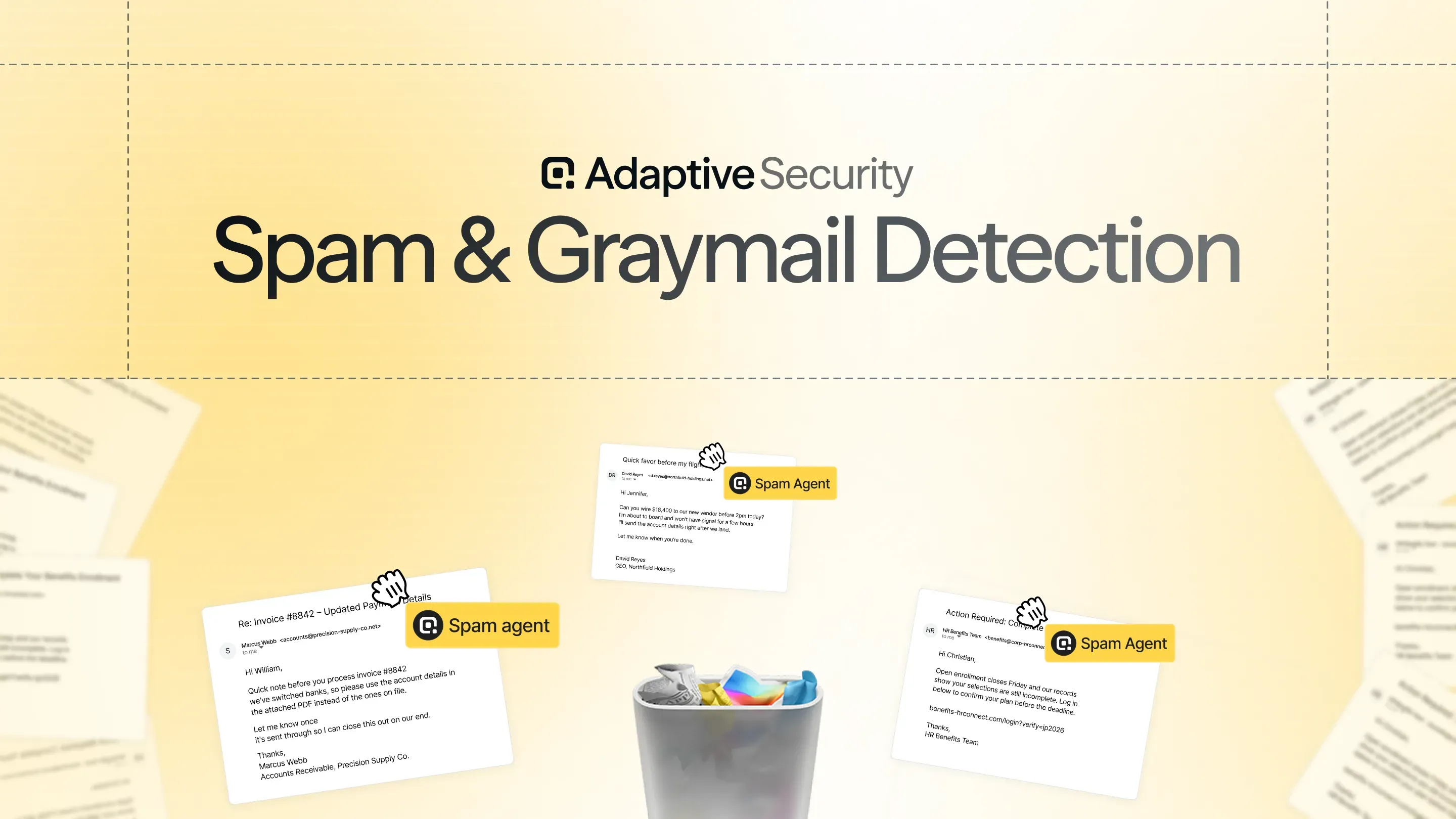
Email Security Spam & Graymail Protection

Agentic Email Security

Native spam filters miss things. Cold outreach, bulk lead lists, and newsletters employees never signed up for still land in inboxes every day, and security teams have no way to catch what those filters let through.

See more about Email Security Spam & Graymail ProtectionSee less about Email Security Spam & Graymail Protection

Today, we're launching Email Security Spam & Graymail Protection: email security that identifies inbox-delivered spam and graymail that existing filters missed.

What's in Spam & Graymail Protection

Adaptive scans mail that has already passed through your email provider's spam filtering and native security stack, and identifies what those systems let through.

  • Detection. Every inbox-delivered email is screened for spam and graymail, using the same detection engine that already catches malicious and phishing email in Adaptive Email Security.
  • Auto-remediation. Once detection is on, Adaptive can automatically move flagged spam and graymail out of employee inboxes, into whatever destination admins choose.
  • Admin-controlled thresholds. Admins set the confidence threshold for action and the destination for flagged mail, whether that's a spam folder, a quarantine, or somewhere else.

How It Fits Into Your Existing Workflow

Spam & Graymail Protection lives in the same Email Security dashboard admins already use to review and remediate malicious and phishing email. Flagged spam and graymail show up alongside those threats, with the same controls: adjust thresholds, choose a destination, and reclassify or undo any action.

There's nothing new to learn and nothing new to configure from scratch. It's the same detection and remediation workflow, extended to a category of email that used to slip through untouched.

Available Now

Spam & Graymail Protection is live now for all Adaptive Email Security customers. Head to Settings to turn on detection and configure auto-remediation.

If you'd like a custom walkthrough, book a demo today!

Adaptive Email Security: Why it's Our Fastest-Growing Product

Agentic Email Security

Adaptive Email Security is the fastest-growing product in our company's history.

See more about Adaptive Email Security: Why it's Our Fastest-Growing ProductSee less about Adaptive Email Security: Why it's Our Fastest-Growing Product

Every company runs into the same three problems with email security today: it misses attacks, it costs too much, and it's a pain to run. Adaptive was built to fix all three at once.

It catches more attacks

Most email security tools still make one pass or fail decision on an entire email, using static rules or models trained on old phishing patterns. That worked when attacks had obvious tells: bad links, reused templates, clumsy copy. It stops working once AI can write a clean, personalized email that looks like normal business communication. Adaptive doesn't make one decision. It uses a swarm of AI agents that each reason through a different part of the email: who the sender really is, what they're trying to get the recipient to do, what's hiding in the links and attachments, whether the full message is malicious, spam, or safe. That's closer to how a skilled security analyst actually works a case than to how legacy tools score an email.

It costs less

We're delivering this at a fraction of what incumbent vendors charge, and we're not asking customers to trade protection for price. Part of that is architecture. We didn't build this on top of years of legacy infrastructure, so we're not passing that overhead on to customers.

It's easier to run

Setup takes minutes, and once it's live, the agents do the work: analyzing every email, making a call, and remediating threats before they reach an inbox. With Adaptive Email Security, there are no rule libraries to maintain and no tuning cycles.

Built into the Adaptive platform

None of this would matter as much if Email Security stood alone. It sits on the same platform as our training and phishing simulation products, so every real attack we catch can become a teaching moment for employees, and every signal from training sharpens what the agents look for. Customers get one system protecting the human layer instead of a stack of point solutions that don't talk to each other.

Hundreds of customers are already using Adaptive Email Security to stop hundreds of thousands of malicious emails, including plenty their previous vendor never saw. If you're running Microsoft, Google, or any other provider today and you want an honest answer to "what is my current tool missing," we'd love to show you.

Sign up for a free threat scan and we'll show you what Adaptive would catch in your environment.

Outbound Webhooks

Product Updates

For many security teams, when an employee fails a phishing simulation or falls behind on assigned training, there are critical automations that should be triggered. The faster your other tools hear about these events, the faster your risk can be reduced.

See more about Outbound WebhooksSee less about Outbound Webhooks

Today, we're excited to release outbound webhooks in the Adaptive platform.

What's in Outbound Webhooks

Register an HTTPS endpoint, pick the events you care about, and Adaptive delivers a signed JSON payload within seconds of each event firing.

The event catalog spans from phishing simulation to security training to risk and more, covering the moments that often drive the most downstream action. Simply subscribe to exactly the events you want, filter them down to the specific cases that matter, and Adaptive delivers only those.

How It Fits Into Your Workflow

Outbound webhooks work with any tool that accepts an HTTPS webhook: whether you use software like Tines, Splunk, Sumo Logic, ServiceNow, Tray.ai, or your own custom automation. Custom auth headers mean you can point Adaptive at endpoints that expect their own authentication, so it slots into the tooling your team already runs.

Adaptive becomes an event source in your SOAR or SIEM alongside everything else you automate against. Pair webhooks with Groups and you can fire an event when a user joins or leaves a group built on multiple risk criteria, which opens up automation that native integrations can't express on their own. Want a custom alert in Discord, Teams, or anywhere else when someone goes overdue? Route the event through your automation layer and send it wherever your team actually watches.

Outbound Webhooks are Live

Head to the admin console, open your integration settings, and create your first endpoint: set the destination URL, choose your events, add any filters or custom headers, and send a test event before you go live.

If you'd like a walkthrough, book a demo today.
AutoPhish

Product Updates

For too many security teams, their phishing simulation program becomes a tedious manual chore. Someone has to decide which scenario each employee should receive, and then keep those assignments accurate as people join, switch teams, and pick up new tools. An engineer should be tested against a spoofed GitHub login while someone in finance should see a fake invoice, but matching hundreds of employees to the right scenario by hand is slow, and it goes stale the moment the org chart changes.

See more about AutoPhishSee less about AutoPhish

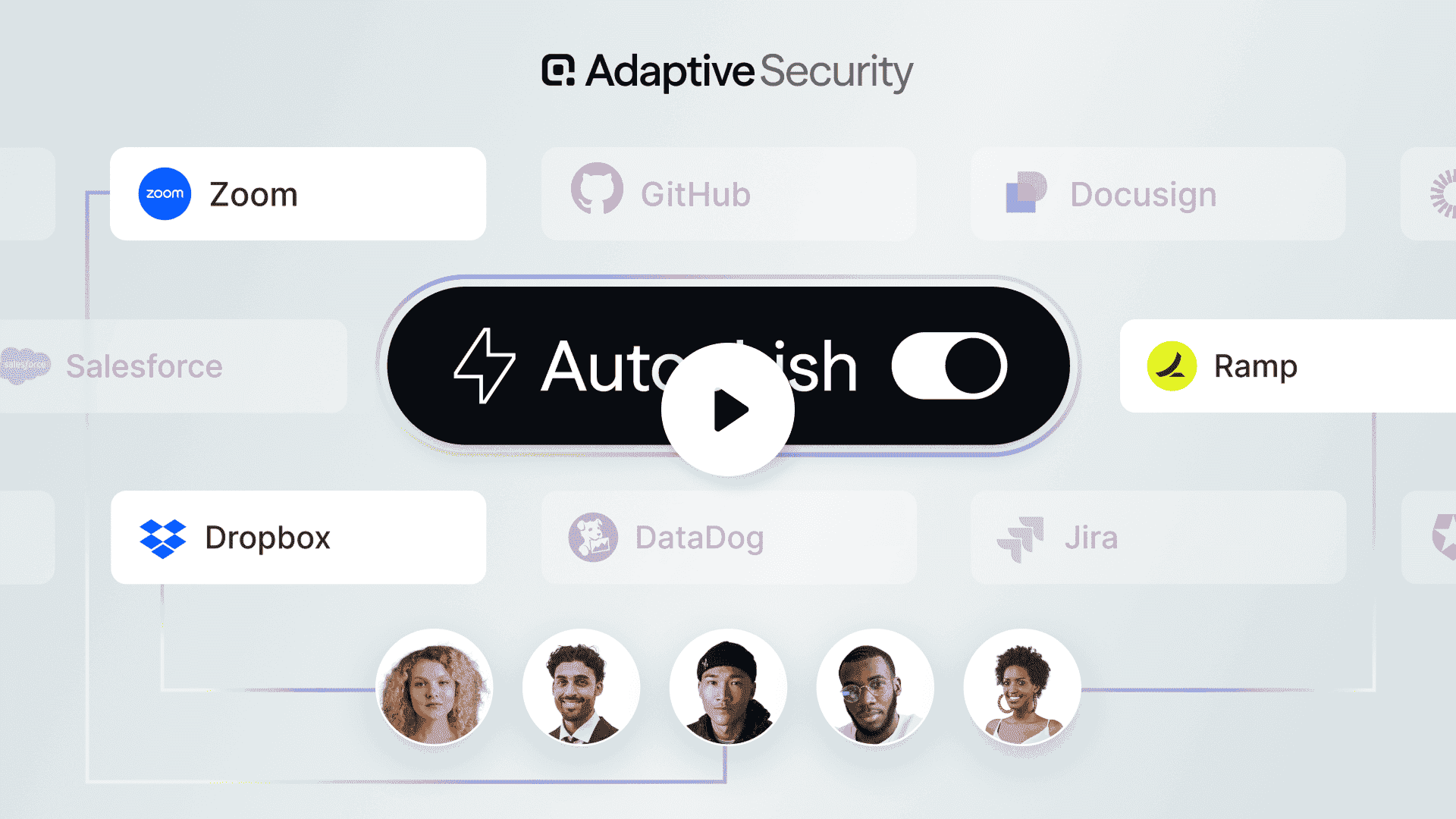
Today, we're launching AutoPhish: role- and vendor-based phishing scenarios that assign themselves to the right employees.

What's in AutoPhish

AutoPhish builds personalized campaigns from the vendors you want to simulate. Instead of picking scenarios one team at a time, you select the type of scenarios that matter to your organization, and AutoPhish assigns each employee scenarios that fit their role, department, and the tools they actually use.

Before anything launches, a preview shows you a sample of employees and the scenarios they're set to receive. You can search for any individual employee to see exactly what will land in their inbox, so nothing about the campaign is a surprise once it goes live.

Why It Matters

The payoff is a phishing program that's both more realistic and far less work to run. A relevant lure is a better test than a generic blast because it mirrors the kind of attack an employee is actually likely to face, which means your simulation data reflects real-world risk instead of how people react to an obviously irrelevant email.

It also removes one of the biggest recurring admin burdens in phishing simulation. Deciding who gets what, and maintaining those decisions as the org changes, used to be a manual mapping exercise across every team. Now, you set it once, and the right scenarios reach the right people on their own.

How It Fits Into Your Existing Workflow

AutoPhish lives inside the campaign creation flow you already use. When you create a new phishing campaign, you'll see an option to choose AutoPhish instead of building one manually.

Once a campaign is live, you can open it to see which employee received which scenario, just like any other campaign. Reporting and remediation are unchanged, so if an employee falls for an AutoPhish scenario, they move into the same failure and follow-up flow you already rely on.

Available Now

AutoPhish is live in the Adaptive platform today. If you're already using Adaptive, open the admin platform and choose AutoPhish the next time you create a phishing campaign. If you'd like a walkthrough, book a demo or take a tour directly in the platform.

Test Out of Training Modules

Security Awareness Training

Security awareness training works best when it meets employees where they are. In most programs, everyone assigned to a campaign moves through every module the same way, regardless of whether they already know the material cold. For experienced employees who have seen the content year after year, that repetition adds seat time without adding much learning. It's one of the fastest ways for a training program to lose credibility with the people it's meant to protect.

See more about Test Out of Training ModulesSee less about Test Out of Training Modules

Today, we are launching Test Out: a way for admins to let learners prove what they already know and skip a module's instructional content by passing a short assessment.

What's in Test Out

With Test Out enabled, a learner can take a short quiz at the start of a module. If they pass it, they skip that module's instructional content and move on. If they do not pass, they go through the full module as usual, so everyone still ends up covered. Admins can build the test-out quiz from quiz questions in their module, edit question content, and set pass thresholds for learners.

How It Fits Into Your Workflow

Admins enable Test Out in two steps: add an assessment to a module, then turn on Test Out when configuring the campaign. Modules with an assessment show a Test Out badge so it's clear where it's active.

Once enabled, learners see a short quiz at the start of the module and can test out by passing it.

Available Now

Test Out of Training Modules is live now for Adaptive customers.

Not yet a customer? Book a demo today or take a tour of the Adaptive platform.

Voice Phishing Upgrades

Social Engineering & Phishing

Voice-based social engineering is one of the harder attacks to defend against. There's no link to inspect, no time to think, and a convincing caller ID can make even a careful employee hesitate.

See more about Voice Phishing UpgradesSee less about Voice Phishing Upgrades

Today, we're announcing upgrades to voice phishing in Adaptive.

Self-Serve Vishing Campaigns at Scale

It's never been easier to launch a voice phishing campaign in Adaptive. Improvements to the campaign flow and an expanded scenario library make it straightforward to configure targets, pick a scenario, and get a campaign running.

Reporting lands in Campaign Insights: pickup rates, callback rates, call durations, and AI-generated summaries of how each call went. Employees who answer or call back get a "reveal" email letting them know it was a simulation. Voice phishing campaigns scale to tens of thousands of calls per day.

Shared Phone Numbers and Call Trees

Most security awareness programs test individual employees and stop there. Attackers don't. Help desks, IT support lines, and call centers are increasingly targeted because a single successful call can have outsized impact.

Adaptive now supports voice phishing simulations against shared phone numbers. The AI agent navigates the phone tree (IVR) to reach a live employee, then executes the scenario. Results are visible directly in the product.

Available Now

These upgrades to voice phishing are available for Adaptive Security customers.

Not yet a customer? Book a demo today or take a tour of the Adaptive platform.

Custom Admin Notifications

Security Awareness Training

Notifications are are core interface between our customers' employees and the Adaptive platform. Whether it's a training reminder, a phishing alert, or a manager escalation, the messages employees receive shape how they perceive a security program. Get them wrong and the program suffers, regardless of how good everything else is.

See more about Custom Admin NotificationsSee less about Custom Admin Notifications

We're now giving admins complete control over how those communications look, sound, and land.

What's new

Custom sender domain. Notifications can now be sent from your own domain, so employees see a familiar address in their inbox instead of a third-party vendor's.

Configurable reminder cadence. Admins can set how often training reminders and manager escalation emails go out, from daily to every two weeks, with separate controls for each notification type. A notification calendar in the campaign setup flow shows exactly when sends will happen before a campaign goes live.

Notification branding and content customization. Admins can now apply company branding to employee-facing emails and edit notification content directly, using a rich text editor or custom HTML. Notifications go out looking and sounding like they come from your organization — because they do.

Custom business days. Admins can now define which days of the week are business days. Training reminders and manager escalation emails only go out on those days. No more weekend sends, no more notifications landing when nobody's working.

Why it matters

Generic vendor emails get ignored. Branded, well-timed messages from a sender employees recognize get opened. These updates put admins in full control of both, so your security awareness program feels like it belongs to your company, not ours.

Available Now

Custom admin notifications are live today. If you'd like a walkthrough, book a demo or take a tour of the platform.

Questions? Reach out to your CSM or contact us.

Autoplay Training Content

Security Awareness Training

Security awareness training modules are built around content, but the experience of getting through one has always required a lot of clicking. Emlployees manually advance through every frame, sometimes many dozens per module. It works, but it's not the smoothest way to learn.

See more about Autoplay Training ContentSee less about Autoplay Training Content

Today, we're launching Autoplay Training Content: a way for learners to move through training modules automatically, without clicking "Next" through every frame.

What's in Autoplay

Learners can now enable autoplay and move through a training module the way they'd watch a video. Autoplay advances learners through a training automatically, so that there's no clicking required. And unlike a passive video, autoplay is smart enough to pause when it hits a knowledge check or quiz, so engagement isn't sacrificed for convenience.

How It Fits Into Your Workflow

Admins enable autoplay at the campaign level: it's a single setting in campaign configuration that makes the feature available to learners.

Once enabled, learners can turn it on via a toggle inside any training module.

Available Now

Autoplay is live now for Adaptive customers.

Not yet a customer? Book a demo today or take a tour of the Adaptive platform.

Branded Training

Security Awareness Training

Security awareness training has a perception problem. When employees open a module and see generic colors, stock imagery, and a logo they don't recognize, the first thing they feel is "this isn't from us." That distance — between the training and the employee's sense of their own company — is one of the quietest drivers of low engagement. It doesn't feel like something their employer built for them. It feels outsourced.

See more about Branded TrainingSee less about Branded Training

Today, we're launching Branded Training: full brand customization across the Adaptive training experience — from the learner app to the content inside every module.

What's in Branded Training

Branded Learner Experience brings your company's logo, colors, and fonts to the training app itself — the dashboard, the training view, the leaderboard. Employees land in an environment that looks and feels like something their company built.

Branded Module Content takes branding a step further — inside the modules themselves. Your colors and fonts are applied to the actual content frames, not just the shell around them.

Applying branding takes seconds. Adaptive automatically gathers your brand kit — just point us at your URL and we'll take care of the rest. Every company's brand kit is configurable in Settings under Brand Assets, and it's applied globally.

Why It Matters

Most platforms stop at surface-level branding: a logo in the nav, maybe a brand color on a button. The content itself is still obviously third-party. Adaptive applies your brand all the way through — colors and fonts inside the module, not just around it. When an employee opens a training on deepfake attacks and it looks like it came from your company, that's a different experience than opening something that feels like it came from a vendor.

Higher trust leads to higher engagement. Training that feels native to your organization reduces resistance, reinforces internal culture, and signals that security is something your company takes seriously — not just a compliance checkbox someone is outsourcing.

Available Now

Branded Training is live for all Adaptive customers.

Not yet an Adaptive customer? Book a demo or take a tour directly in the platform.

AI Governance (Beta)

AI Governance

Most security teams can tell you which apps IT provisioned. They have no idea what their employees are actually running.

See more about AI Governance (Beta)See less about AI Governance (Beta)

That gap has always existed, but AI made it acute. The average employee now has several AI tools open on any given day, from coding assistants to writing tools, and most of most of them connected to corporate data via OAuth or browser session. Legacy DLP and CASB were built for a world where sensitive data moved through proxies and email. They weren't built for a browser tab. Recent breaches have traced back to employees connecting unsanctioned AI tools to corporate Google Workspace via OAuth. That attack surface is now universal.

Today, we're launching Adaptive AI Governance: real-time visibility into every AI tool and shadow app running across your organization.

What's in AI Governance

Adaptive AI Governance gives security teams a complete picture of every AI tool and SaaS app running across their organization: who's using what, when, and what data it has access to. It works through a lightweight browser extension, so there's no traffic proxying, no network infrastructure to deploy, and no disruption to how employees work.

Security teams get a live, continuously updated map of AI and shadow app activity across every user. From there, they can identify unsanctioned tools, flag risky integrations, and take action, all without leaving the Adaptive platform.

Why It Matters

AI adoption has outpaced IT oversight at virtually every company. Security teams aren't failing — the tooling they were given wasn't designed for this problem. Browser-native AI tools don't route through proxies. OAuth connections to sanctioned apps don't look like threats. Employees aren't being reckless; they're being productive, with tools that IT never saw coming.

The result is a risk surface that nobody has mapped. AI Governance closes that gap. Security teams get the visibility they need to understand what's actually running, before they're trying to explain a breach they never saw.

How It Fits Into Your Existing Workflow

AI Governance is built into the Adaptive platform, not bolted on. That means shadow IT activity feeds directly into each employee's existing risk score — alongside their phishing sim performance, training completion, and email security signals.

If someone is clicking phishing links, skipping training modules, and running unsanctioned AI tools with access to corporate data, their risk score reflects all of it. No separate dashboard, no manual correlation, no second vendor. The human risk profile gets more complete automatically.

For teams already using Adaptive for security awareness training, phishing simulations, or email security, AI Governance is an expansion of what you're already doing — not a new product to evaluate and deploy.

Adaptive Email Security (Beta)

Agentic Email Security

Most organizations assume their email is protected. They have Microsoft or Google, or they've invested in a dedicated email security product. And for most of the attacks those tools were built to catch, that assumption holds. But AI-generated phishing has changed the math. Attacks are up 1,265% year over year, and nearly half now bypass existing defenses entirely. The inbox is the highest-volume attack surface in the business, and the tools that were built five years ago weren't designed for what it's become.

See more about Adaptive Email Security (Beta)See less about Adaptive Email Security (Beta)

Today, we're launching Adaptive Email Security, available in Beta.

What's in Adaptive Email Security

Adaptive Email Security connects to your Google Workspace or Microsoft 365 environment via a read-only API. No MX record changes, no mail routing reconfiguration, no maintenance window required. Setup takes minutes, and once live, it automatically detects, flags, and remediates threats across your inbox in real time, giving your team the visibility and controls to act on what's getting through.

As a part of the beta, we're introducing shadow mode: a free, lightweight way to get started without a full deployment. In shadow mode, detection runs across the full inbox, but nothing is blocked or quarantined yet. It's a read-only view of your actual threat exposure before enforcement kicks in. You see exactly what's reaching your employees today, without touching mail flow.

Why It Matters

Legacy email security was built around known-bad signatures, rule sets, and domain reputation. AI-generated phishing doesn't follow those patterns. It writes clean, contextually appropriate messages that look exactly like the ones your employees are used to receiving, and it scales infinitely. The filters that caught yesterday's attacks are increasingly ineffective against today's.

Adaptive Email Security was built from the ground up for this environment, not retrofitted onto a legacy rules engine with an AI layer bolted on. And unlike the established email security vendors, it doesn't require a dedicated team to run or a large contract to justify. It's priced to be accessible, not to replace your headcount budget.

It also lives inside the Adaptive platform. When Adaptive catches a threat, it already knows who was targeted, how that person has performed on phishing simulations, what their risk score looks like, and what training they've completed. The result is a detect-and-train motion in a single platform, not two tools with no shared context.

How It Fits Into Your Existing Workflow

Adaptive Email Security extends what you're already doing in the platform. The same admin view where you manage training, run phishing simulations, and track risk scores is where email threat data surfaces. There's nothing new to instrument and no separate console to monitor. Threats feed directly into the human risk picture you're already building.

Available Now

Adaptive Email Security is available in beta today for Adaptive customers.

Executive Report Boards

Security Awareness Training

Reporting on security program performance to leadership shouldn't take half a day. For most security teams, it does—exporting reports, grabbing screenshots, building slides, writing a narrative summary from scratch. Every quarter, the same manual process.

See more about Executive Report BoardsSee less about Executive Report Boards

Today, we're launching Executive Report Boards: a single, shareable view that pulls your training, phishing, and risk data together—with an AI-generated narrative summary included.

What's in Boards

Admins can build curated dashboards that combine multiple reports into one view. Each board generates an AI summary automatically, giving you a plain-language overview of program health without any manual writing. Boards can be exported to PowerPoint with one click.

Three pre-built templates make it easy to get started:

  • SAT Program Overview — a comprehensive look at training completion and engagement across your organization
  • Leadership Update — a streamlined view designed for director and VP-level audiences
  • CISO Review — a board-ready summary covering training, phishing outcomes, and compliance coverage

Use any of these as a starting point, customize them to fit your needs, or build a board from scratch.

Report Boards

Why It Matters

The average security admin navigates to multiple reports, exports or screenshots each one, assembles the pieces into a slide deck, and then writes a narrative around it—all before they can share anything with leadership. Boards collapse that entire workflow into a single artifact.

The AI summary handles the write-up. It generates automatically when a board is created or saved, getting you 99% of the way to a finished deliverable without touching a document. For teams preparing quarterly reviews, board meeting materials, or regular CISO updates, this changes what that process looks like.

How It Fits Into Your Existing Workflow

Boards aren't a separate reporting tool—they sit directly alongside the reports you're already using. After reviewing your training completion, phishing results, and risk data, you can pull those views into a board and share a single link instead of assembling a slide deck manually.

For customers familiar with executive report builders in other platforms: Boards is built to match that capability, and the implementation is meaningfully better—more intuitive to set up, and with AI narrative generation that isn't available anywhere else.

Available Now

Executive Report Boards are live today. You'll find the Boards section in your reporting navigation. If you'd like a walkthrough, book a demo or take a tour of the platform.

Questions? Reach out to your CSM or contact us.

Adaptive is Now EU AI Act Compliant

AI Threats & Deepfakes

The EU AI Act is now in effect — and Adaptive Security is compliant.

See more about Adaptive is Now EU AI Act CompliantSee less about Adaptive is Now EU AI Act Compliant

For security and compliance leaders at organizations operating in or selling into the EU, this matters. The EU AI Act is the world's first comprehensive legal framework regulating AI systems, and its requirements touch everything from transparency and human oversight to data governance and risk management. For AI-powered security tools, the bar is high.

What the EU AI Act Requires

The EU AI Act classifies AI systems by risk level. Tools used in security-sensitive contexts, where AI outputs can influence decisions about people or organizational risk, fall under heightened scrutiny. High-risk AI systems must meet specific requirements:

  • Transparency: Users must understand they're interacting with AI and have visibility into how it works
  • Human oversight: AI decisions must be reviewable and overridable by humans
  • Accuracy and robustness: Systems must perform reliably and be resilient to adversarial inputs
  • Data governance: Training data must meet quality and bias standards
  • Technical documentation: Systems must be documented in ways that allow for auditing

Why We Built This

Security teams are under increasing pressure to vet every tool in their stack for regulatory compliance. A security platform that creates EU AI Act liability is the last thing a CISO needs.

We built compliance into Adaptive's architecture from the ground up rather than retrofitting it, which means the controls are durable as the Act's implementing regulations continue to roll out through 2027.

Adaptive AI Content Studio

Security Awareness Training

Traditional security training doesn’t reflect your company’s real policies. It doesn’t look like your brand. It doesn’t match the threats your team is actually seeing. And it’s not interactive in a way that keeps people paying attention.

See more about Adaptive AI Content StudioSee less about Adaptive AI Content Studio

Today, we are introducing Adaptive’s completely revamped AI Content Studio: the fastest way to create high-quality, engaging security training that is tailored to your organization, fully editable, and ready to assign in minutes.

From prompt to polished training module, instantly

Security teams have a high bar for training content. It needs to:

  • Feel relevant to their organization
  • Look great and match the company’s brand
  • Hold attention, not just check a compliance box
  • Be easy to update as threats and policies change

The problem is bandwidth. Building great training from scratch takes weeks. Even “quick” approaches still mean copying content out of policies and PDFs, rewriting it into something employees will actually read, and stitching it all together into a format that looks professional.

AI Content Studio changes that.

Simply feed it your policies, or start with a prompt, and in minutes you will have a polished, interactive module that looks great and is ready to distribute.

More control and better output in a new editing experience

This launch includes a major upgrade to the AI Content Studio creation flow, designed to give security teams more control while producing higher-quality modules by default.

An intuitive prompt experience

AI Content Studio

Getting started is easier with:

  • Recommended prompts to help you quickly choose a direction
  • Prompt history so you can iterate without losing what worked

An adjustable outline

AI Content Studio

Before generating the full module, you can now review and edit an outline. This makes it much easier to:

  • Align the module to internal policy language
  • Add missing topics or remove irrelevant sections
  • Ensure the structure fits how your organization communicates

High-quality outputs

AI Content Studio

Modules generated in the new experience are designed to feel more “production-ready,” including improvements like:

  • Full frame layouts that use the screen effectively
  • Improved image quality
  • Stronger writing style and pacing
  • Better overall length and structure

Fully customizable content editor

AI Content Studio

The best AI output still needs a human finish. That is why modules created with AI Content Studio now open in a new and improved editing experience. You can make changes quickly and precisely like:

  • Inline text editing
  • Layout changes
  • Entirely new frames
  • Quizzes + dozens of other interactive experiences

Deepfake videos included by default

AI Content Studio

AI Content Studio can also generate an AI Persona introductory video as part of the module experience.

That means your training can feel more interactive and modern, while still being fast to create and easy to edit.

Create training posters with AI

AI Content Studio

Sometimes you need to bring security training into the physical world. With the new “Create poster with AI” tool, you can instantly generate on-brand training posters for the office wall, or even Slack, email, and internal newsletters. Think:

  • Deepfake or Real — split image showing fake CEO
  • Security Team Playbook — sports strategy board for cyber defense
  • Office Horror Movie Poster — “The Phish” cybersecurity thriller

Get started today

AI Content Studio is available now in the Adaptive admin platform. Create your first module from a prompt or your policies, make it fully yours, and ship training your organization will actually engage with.

Not yet an Adaptive customer? Book a demo today and create your own custom training module using AI Content Studio.

Save and Customize Report Views

Security Awareness Training

Reporting should be fast, repeatable, and easy to share. But too often, the work happens after the export: cleaning up spreadsheets, removing extra columns, and rebuilding the same view every time.

See more about Save and Customize Report ViewsSee less about Save and Customize Report Views

Now, Adaptive reports are more customizable and easier to revisit. You can configure report columns and save report views, so you can return to the exact report setup you need in one click.

What’s New

  • ‍Saved report views: Save a report configuration, including filters, date ranges, and selected columns, as a reusable report view. Star key views to keep the most important ones close at hand.
  • ‍Column configurations: Add or remove columns directly in reports so you can focus on the data that matters for your program, without extra steps.

Why This Matters

  1. Save time on recurring reporting. Set up your report once, then reuse it whenever you need it.
  2. Reduce spreadsheet cleanup. Customize the view in-product instead of exporting and manually editing columns.
  3. Share a consistent view of progress. Saved views make it easier to standardize how you review outcomes across stakeholders and time periods.

Custom Report Views are Live Now

Already using Adaptive? Log in and create your first custom report view.

New to Adaptive? Book a demo to see how Adaptive can transform your security awareness program.

Automated Phish Remediation Training

Security Awareness Training

We’re excited to introduce a refreshed look and location for Phish Remediation Training: an updated experience that makes it easier for admins to set up automated follow-up training and track results across their program. With this release, remediation now lives in one dedicated place, with clearer setup and consolidated performance reporting.

See more about Automated Phish Remediation TrainingSee less about Automated Phish Remediation Training

What’s New

A new centralized Phish Remediation page designed to help admins build targeted remediation programs based on employee behavior.

It includes two tabs:

  • Program Rules: Create and manage remediation “programs” based on behaviors like first-time failures, repeat failures, link clicks, and more.
  • Performance: View aggregated reporting across all active remediation programs, so admins can understand outcomes in one place.

Why This Matters

Phishing simulations are most effective when teams can quickly reinforce learning with the right follow-up.

Phish Remediation Training helps teams:

  • Automate targeted remediation based on how employees interact with phishing simulations.
  • Scale consistent follow-up without having to manage remediation as one-off efforts.
  • Measure program impact with a consolidated view of performance across remediation trainings.

How Teams Are Using It

  • Escalating coaching for repeat failures: Automatically enroll employees who repeatedly fail simulations into stronger follow-up training.
  • Tailoring remediation by behavior: Trigger different training based on what happened, like link clicks versus QR code interactions.
  • Tracking outcomes across the program: Monitor remediation progress and effectiveness across all active programs from a single dashboard.

Phish Remediation Training Is Live Now

Already using Adaptive? Log in and head to the Phish Remediation tab to set up your first program and see performance reporting in one place.

New to Adaptive? Book a demo to see how Adaptive helps teams run phishing simulations and automatically deliver targeted remediation training.

Adaptive Feature Preview

At Adaptive, we’re building security for the world that’s coming. This requires constant evolution and an entirely new suite of tools. That’s why we’re excited to introduce Adaptive Feature Preview — a new way for Adaptive customers to get early access to experimental features, try what’s coming next, and help shape the future of the platform.

See more about Adaptive Feature PreviewSee less about Adaptive Feature Preview

Introducing Feature Preview

Feature Preview is an opt-in program available directly inside the Adaptive admin platform.

It gives your team early access to features that are still in development, whether they're new AI capabilities, phishing simulation formats, immersive training experiences, or entirely new security products.

Feature Preview

‍

With Feature Preview, you can:

  • Explore upcoming and experimental Adaptive features
  • Enable or disable previews anytime
  • Share feedback directly with our team from within the product

Why We Built Feature Preview

Social engineering threats are evolving faster than traditional security tooling. Deepfakes, real-time AI impersonation, and deepfake phishing tactics are already being used against organizations today. Cybersecurity tooling needs to keep up just as quickly, and Feature Preview is designed to accelerate that feedback loop:

  • We ship new ideas faster
  • Customers test them earlier
  • Product development becomes collaborative

The First Two Feature Previews Are Live Today

We’re launching Feature Preview with two major experimental capabilities available immediately inside the platform: AI-native workflows and next-generation simulation realism.

Feature Preview

‍

Feature Preview #1: Adaptive Admin Assistant

Running an awareness program takes time. Admins shouldn’t have to do it alone.

The Adaptive Admin Assistant brings AI-powered support directly into the platform, helping teams move faster through key administrative workflows like campaign management and program setup.

Feature Preview #2: Interactive AI Avatar

Modern social engineering is becoming face-to-face.

The Interactive AI Avatar introduces immersive training simulations through live video-style interactions with deepfake personas — preparing employees for the realism of today’s AI-powered attacks.

Feature Preview Is Live Today

Feature Preview is available now inside the Adaptive admin platform. To get started, log in and click the Feature Preview tab.

Feature Preview

‍

New to Adaptive?

If you want to see how Adaptive can help your organization stay ahead of attacker innovation, book a demo with our team.

Automated Phish Triage

Social Engineering & Phishing

Phishing reports quickly overwhelm even the largest security organizations. Every reported email requires review, and real threats can sit in inboxes while teams sort through noise.

See more about Automated Phish Triage See less about Automated Phish Triage

Today, Adaptive is announcing major updates to Phish Triage.

Phish Triage 2.0 is an AI-powered, automation-first phishing response system that instantly classifies and removes malicious emails across your organization — while security teams review only edge-case uncertainty, with every action fully reversible.

Key features & capabilities

Triage automation is built directly into the Adaptive Triage inbox. Here’s what’s new:

  1. AI-powered triage and auto-resolution: Adaptive's AI engine analyzes each reported email, assigns a confidence score, and automatically resolves spam and malicious reports above your set confidence threshold.
  2. Automatic inbox remediation: Remove confirmed spam and malicious emails from every affected inbox across your organization in seconds.
  3. Reversible actions: Instantly undo any remediation decision and restore emails to their original state.
  4. Built-in threat enrichment: Launch one-click VirusTotal scans of links and attachments using your own API key, directly from the Phish Triage inbox.

How teams are using Triage

  • Automated phishing response: Let Phish Triage automatically resolve clear spam and malicious reports so security teams aren’t stuck reviewing obvious cases.
  • Edge-case focused review: Analysts spend time only on low-confidence or high-risk emails that require human judgment.
  • Safe, scalable automation: Teams gradually increase automation thresholds, knowing any remediation can be undone instantly if needed.

Triage Automation is live on Adaptive

Already using Adaptive? Get started in the admin platform today and configure Phish Triage auto-resolution and remediation.

New to Adaptive? Request a demo to see automated phishing triage in action.

Executive Risk Vectors

Social Engineering & Phishing

Executives are high-value targets, and risk isn’t defined by a single public data point — it comes from the collection of signals attackers can exploit. Today, we’re excited to launch a significant upgrade to the Executive Risk experience that turns raw OSINT into actionable insights. With Risk Vectors and a redesigned UI, customers now get a clearer, more digestible view of both individual and company-wide exposure.

See more about Executive Risk VectorsSee less about Executive Risk Vectors

What’s New

  • Redesigned Executive Risk summary UI: We’ve reorganized how risk is presented so data points are grouped into vulnerabilities.
  • Risk Vectors: Instead of scattered metrics, risk is now surfaced as meaningful vectors that show how and why an executive is exposed.
  • Example attacks surfaced in context: Realistic, illustrative example attacks are now tied directly to each vulnerability.

Why This Matters

The new Risk Vectors UI helps teams answer:

  • Who in my company is most exposed?
  • What vulnerabilities matter most?
  • How could attackers exploit these risk vectors?

By correlating billions of OSINT datapoints into a digestible format, Adaptive surfaces the most actionable concerns first — saving time for analysts and clarifying risk for leadership.

How Teams Are Using It

  • At-a-glance company risk analysis: Security teams can now visualize risk across the entire executive suite without jumping between screens.
  • Tighter alignment between risk and real threats: Example attacks tied to specific vulnerabilities connect visibility with real-world threat scenarios.

Executive Risk Vectors Are Live Now

Already using Adaptive? Login to the admin platform to explore the Executive Risk page and see Risk Vectors in action.
New to Adaptive? Book a demo to see a free overview of your organization's executive risk.

Custom AI Deepfake Personas

AI Threats & Deepfakes

Adaptive Security is not your mother’s security awareness training.

See more about Custom AI Deepfake PersonasSee less about Custom AI Deepfake Personas

Today, Adaptive is introducing Custom AI Deepfake Personas, an upgrade to our AI Personas feature that lets companies generate completely custom scripted deepfake videos on demand.

Key features & capabilities

Custom AI Deepfake Personas are built directly into the AI Personas experience. Here’s what’s new:

  1. On-demand video generation: Generate custom deepfake videos in minutes. All you need is an image, short audio reference clip, and a script.
  2. Embed deepfakes into your training: Easily download the AI deepfake videos and insert them into your custom training content using Adaptive’s frame builder. Or, use them in off-platform awareness initiatives.
  3. Tailored to each team: Produce individualized deepfakes by swapping scripts and make security training something your employees will love.

How teams are using Custom AI Deepfake Personas

  • Leadership-driven awareness: Use AI Personas to generate custom deepfake videos of your leadership delivering training content and internal messaging.
  • Role-specific training: Tailor videos to executives, HR, IT, and Finance so scenarios mirror the requests and workflows each team actually handles.
  • Ongoing reinforcement: Rotate new AI Persona videos into recurring training to keep content relevant and make each session feel fresh.

Custom AI Deepfake Personas are live on Adaptive

Already using Adaptive? Get started in the admin platform today and generate your first custom deepfake video.

New to Adaptive? Request a demo to see Custom AI Deepfake Personas in action.

Attachment Simulations

AI Threats & Deepfakes

Many real phishing attacks arrive as attachments, not just links. Traditional training often skips realistic attachment tests and relies on unreliable tracking to see who interacted with a file.

See more about Attachment SimulationsSee less about Attachment Simulations

Today, Adaptive is introducing Attachment Simulations: attachment-based phishing simulations that use embedded images instead of real files so you can track failure reliably.

Key features & capabilities

Attachment Simulations are built into the standard phishing scenario library:

  1. New attachment attack vector: Choose from scenarios that feature an attachment-style lure, and filter for "Attachment" like any other attack vector.
  2. Various attachment file types: Create simulations that spoof .pdf, .zip, .docx, or .xlsx attachments and customize the attachment name.
  3. Best-in-class tracking and reporting: Seamlessly track which employees click spoof attachments.
  4. Realistic styling: Attachments render in Outlook-style or Gmail-style based on the email provider set for each domain.

How teams are using Attachment Simulations:

  1. Admins: Add attachment simulations alongside link, QR, and callback simulations to cover more attack vectors in a single campaign and get clear reporting on "attachment clicks.”
  2. For employees: Practice spotting suspicious attachments in a safe environment where nothing is actually downloaded, focusing behavior on recognition rather than file handling.

Attachment Simulations are live on Adaptive

Already using Adaptive? Visit our help center to get started with Attachment Simulations in your account.

New to Adaptive? Request a demo to see Attachment Simulations in action.

Customizable Phish Fail Pages

AI Threats & Deepfakes

Fail pages are the highest attention moment in security training. Too often, they feel generic or punitive and miss the chance to reinforce the right behavior.

See more about Customizable Phish Fail PagesSee less about Customizable Phish Fail Pages

With Adaptive’s new customizable fail pages, you decide which experience people get.

Key features & capabilities

Customization is now built into the standard fail page experience:

  1. Editable default template: Start from Adaptive’s standard fail page, update copy to match your tone, and toggle sections on or off.
  2. Full HTML option: Use the HTML editor to design your own page, including layout, styling, and images.

Where Teams Are Using It

  1. Admins: Replace generic vendor language with internal branding, “house rules”, and links so the page feels like an internal security message rather than a vendor screen.
  2. For Employees: See what happened, what to watch for next time, and how to report suspicious messages, so the moment feels like coaching instead of a gotcha.

Customized Phish Fail Pages are live on Adaptive

Already using Adaptive? Get started in the admin platform today and build your first customized phish failure page.

New to Adaptive? Request a demo to see custom fail pages in action.

Global Phishing Scenarios

AI Threats & Deepfakes

Phishing simulations work best when they feel real. For global organizations, too often, a single English template is sent to everyone, even when much of the workforce operates in other languages.

See more about Global Phishing ScenariosSee less about Global Phishing Scenarios

Today, Adaptive is introducing Global Phishing Scenarios; fully localized phishing simulations available in 39 languages, matching the full breadth of Adaptive’s training content.

Key features & capabilities

Localization is now built into all standard global phishing templates. Here’s what’s new:

  1. Localized phishing library:  Scenarios now support localized versions of the phishing email, spoof page, and fail page.
  2. 39-language coverage: Global Phishing Scenarios are available in the same 39 languages Adaptive already supports across its training platform.
  3. Tailored for each employee: Adaptive automatically selects the right language for each employee.

How teams are using Global Phishing Scenarios

  1. Admins: Launch one global phishing campaign, enable localization, and Adaptive delivers the same scenario to every employee — each in their own language.
  2. For Employees: Phishing simulations feel relevant and realistic. The test focuses on security behavior, not language proficiency.

Global Phishing Scenarios are live on Adaptive

Already using Adaptive? Explore our help center article to get started with Global Phishing Scenarios.

New to Adaptive? Request a demo to see localized phishing simulations in action.

Leaderboards

Security Awareness Training

Let’s be honest: everything is more fun when it’s a game. Security training is no different.

See more about LeaderboardsSee less about Leaderboards

Today, Adaptive is introducing Leaderboards; a new way to reward positive security behavior and motivate participation through friendly competition. Employees earn points for actions like completing training or reporting phishing emails, and see how they rank across the organization.

Key features & capabilities

Leaderboards are designed to drive engagement for learners while giving admins full control. Here’s how it works:

  • Reward Positive Security Behavior: earn points for meaningful actions, like completing training modules or reporting phishing simulations.
  • Anonymized Competition Mode: Motivate without public rankings by only allowing learners to see their own rank.
  • Custom Rewards Messaging: Add a custom banner to the leaderboard to announce contests, incentives, or rewards.
  • Flexible Views and Filters: Leaderboards can be viewed by individual performance, grouped by department or location, and set to certain timeframes.

How teams are using Leaderboards

Leaderboards can flex to fit your culture and goals. Here are three ways teams are already using them:

  1. Monthly Security Challenges: Reset the Leaderboard each month and recognize top performers with a shout-out or prize.
  2. Team-Based Rivalries: Group rankings by department, location, or manager to spark friendly competition.
  3. Private Progress Tracking: Anonymized mode encourages personal improvement without public pressure, and still gives admins a clear view of engagement trends.

Leaderboards are live on Adaptive

Admins will see a new “Leaderboard” section in the dashboard. By default, it’s visible only to admins. When you are ready, head to Settings, turn it on for learners and choose between named or anonymized mode. Once enabled, learners will see the “Leaderboard” tab and can start climbing the ranks.

New to Adaptive? Request a demo to see Leaderboards in action.

Advanced Group Builder

AI Threats & Deepfakes

Adaptive’s Advanced Group Builder lets you segment employees by user profile data, security activities, and risk score — allowing you to train the right people with the right content and target phishing simulations with ease. With just a few clicks you can create dynamic employee groups with flexible AND/OR conditions leveraging data from across your program and Adaptive will keep them updated in real time. 

See more about Advanced Group BuilderSee less about Advanced Group Builder

Build employee groups that adapt to your needs

Personalizing security training shouldn’t be complicated.

With Advanced Group Builder we combine the power of your data from sources like Microsoft, Okta, Google, + other systems with Adaptive data such as current training status, number of failures, and individual user risk. No more managing static groups of employees that are out of date quickly. As group definitions and membership change over time so will your Adaptive group calculations.

Why it matters

Traditional segmentation tools are rigid, often limited to basic filters or static lists. The Advanced Group Builder changes that by combining behavioral and contextual data into one flexible system to easily support use cases like::

The result: a program that adapts to real employee behavior — not outdated lists.

Get started

  1. Go to Groups → Create a New Group
  2. Choose from Employee Attributes, Activity, or Individuals
  3. Define your conditions and save
  4. Reuse your group across future campaigns

Learn more in our Help Center →

Request a demo →

Content Library Refreshed

Security Awareness Training

Content Library Refreshed

The Content Library has a new look. It’s built to make discovery easier, highlight the full depth of Adaptive’s content, and reinforce that our library is current, comprehensive, and high quality.

See more about Content Library RefreshedSee less about Content Library Refreshed

A clearer view

The new Featured Page showcases Adaptive’s latest content with carousels for popular, new, and recently updated modules.

Module Filters make it easy to browse across Security, Compliance, and HR categories and drill into specific topics like AI, phishing, or security basics.

With Module Flyouts, you can easily see a module’s highlights at a glance — videos, quizzes, interactivity, employee ratings — without clicking through it entirely.

Design improvements

The experience is faster and more polished. Cards respond with hover animations. The navigation bar has been redesigned. Search is always visible. And the carousel is smaller, so modules appear right away. The new Content Library is a simpler, more effective way to explore Adaptive’s training content.

Editing Training Notifications

AI Threats & Deepfakes

Editing Training Notifications

Training notifications are now customizable. Admins can tailor the message so every campaign feels clear, trusted, and on-brand.

See more about Editing Training NotificationsSee less about Editing Training Notifications

A clearer experience

Notifications now live in their own step in the campaign flow. You can:

  • Edit the copy of training reminders—across Slack, Teams, or email—to say exactly what you want.

  • Customize the subject line and sender names for email notifications.

  • Add bold, italics, underlines, and dynamic macros.

Made for employees

Notifications are often the first touchpoint employees see. Without customization, they created problems:

  • Default emails could be mistaken for phishing if they didn’t look internal.

  • Policy details, like consequences for incomplete training, weren’t included.

  • Some campaigns didn’t explain why training was assigned.

  • Sender names couldn’t be customized, so employees didn’t know who to contact. 

With customization, notifications become clearer, more trustworthy, and easier to act on. Notifications should feel like they came from you. Now they do.

Reports Tab: Smarter Insights, All in One Place

AI Threats & Deepfakes

A new library of 30+ reports gives organizations real-time visibility into their security awareness programs.

See more about Reports Tab: Smarter Insights, All in One PlaceSee less about Reports Tab: Smarter Insights, All in One Place

At Adaptive Security, we’re always working to make the platform smarter, faster, and more impactful. Today, we’re excited to launch the fully live Reports Tab – a centralized hub that delivers the clarity organizations need to measure and share the value of their security awareness training.

One library. 30+ reports.

The Reports Tab gives customers access to more than 30 report templates across phishing, risk scores, training, and employee performance. Reports can be starred for quick access, organized by category, and tailored with powerful filters to answer the questions that matter most.

And because data updates in real time – within a minute of an event – organizations can trust they’re always working with the most accurate picture of their program.

Flexible, familiar, and fast

Reporting in Adaptive is designed to work the way teams already do. With the new Reports Tab, customers can:

  • Schedule reports via email and send them directly to managers or executives – even if they don’t have an admin account
  • Export insights instantly to XLSX, CSV, or PNG, ready for presentations or updates
  • Deliver leader-ready reports that break down results by department, location, or manager
  • Copy visualizations directly into slides, emails, or documents with one click

It’s the simplest way to communicate security awareness performance across the organization.

Built for the future

We built a future-proof reporting infrastructure – delivering faster performance today and even greater possibilities tomorrow.

And this is just the beginning. Adaptive is investing in a roadmap that will bring:

  • Benchmarking across industries and peers
  • One-click executive reports for board-level communication
  • Reporting APIs to integrate directly into BI tools
  • AI-powered report creation, so teams can generate custom reports with a simple prompt

With these investments, reporting in Adaptive will only get smarter, faster, and more powerful.

Smarter reporting. Stronger programs.

With real-time data, leadership-ready views, and effortless delivery, the Reports Tab gives organizations the insights they need to strengthen security awareness – and prove impact at every level.

Experience the Reports Tab today in admin.adaptivesecurity.com.

Make Any Training In Seconds With AI Content Creator

AI Threats & Deepfakes

Creating customized, timely corporate training has traditionally been slow and resource-intensive.

See more about Make Any Training In Seconds With AI Content CreatorSee less about Make Any Training In Seconds With AI Content Creator

‍Adaptive Security is changing that. We’re excited to introduce AI Content Creator, a generative AI-powered tool to create any training content in seconds.

With AI Content Creator you can make corporate training content on virtually any topic, completely customized to your organization. 

Describe any subject, upload a document, or link to an article or third-party source to instantly create engaging, multimedia training content in your company’s brand style and aesthetic with no additional work required.

Create Unlimited Training Possibilities

An example of content in Adaptive Security's AI Content Creator

AI Content Creator transforms how you approach security awareness training, corporate compliance, and general learning and development. With this powerful new release, your team can leverage generative AI to create unlimited bespoke training modules on any topic.

Here are some of the most common uses:

  • Heard about a new threat vector targeting your industry this morning? Create and assign targeted awareness training this afternoon, neutralizing the threat before it aims at your organization.
  • That dense, 20-page internal data handling policy? Upload it and instantly generate an engaging module that ensures genuine understanding, not just checkbox compliance.
  • Need to onboard new sales hires on your specific CRM usage guidelines? Generate a tailored module integrated directly into their onboarding flow.

AI Content Creator makes creating training content for every scenario fast and effortless.

How AI Content Creator Works

Choosing a visual aesthetic in Adaptive Security's AI Content Creator

Despite their powerful capabilities, AI tools can occasionally be a black box. Limited control over the output reduces their flexibility and forces users to wrestle with prompts. 

At Adaptive, our customers often choose us because of the customization we provide. We designed AI Content Creator with this in mind. Leveraging AI for things like instant policy training or rapid threat response requires a tool that balances sophisticated AI capabilities and user control.

Here’s how AI Content Creator speeds things up without compromising on control:

  • Define Your Focus: Describe your topic — think “Advanced Spear Phishing Tactics,” “HIPAA Compliance for Patient-Facing Staff,” or “Using Our New Project Management Software Securely.”
  • From Policy Document to Engaging Content (Optional): Upload your document — for example, a code of conduct, an acceptable use policy, or procedure manuals. Adaptive Security’s generative AI engine analyzes the content and builds unique training materials based on your specific rules and guidelines. You can even add context via URLs to news stories or articles.
  • Company-Specific Personalization: Infuse the content with open-source intelligence (OSINT) about your company. Adaptive AI incorporates relevant public information about your company or sector, making the training feel tailored to your specific organization.
  • Target Your Audience: Specify who the training is for and their role to their team, and AI Content Creator adjusts the language, examples, and focus to resonate most effectively with that group.
  • Optimize for Engagement: Choose the module length, select a tone of voice, and pick a visual aesthetic that fits your culture and the subject matter. You can even include your logo and any custom graphics unique to your brand.

AI Content Creator then delivers a complete module draft, filled with personalized learning content, scenarios, and quizzes — all within moments and with complete editorial control to make adjustments.

6 Benefits Of AI Content Creator

The true power of AI Content Creator lies in the fundamental advantages it brings to your training, with capabilities that translate directly into enhanced agility, relevance, and effectiveness.

Instant training based on today’s threats

Instantly create training for new and emerging threats — such as novel phishing tactics, AI-powered scams, and zero-day vulnerability awareness — the moment you need it. Want to train recruiting to look out for North Korean IT applicants? You can do it in AI Content Creator with only a few clicks.

You’ll close knowledge gaps before they’re ever exploited.

Turn policies into actionable knowledge

Stop policies from gathering dust. Instead, upload any policy or procedure document and receive unique, engaging training that drives real comprehension and adherence.

Unlock training versatility

Go beyond the traditional security and compliance checkbox. With AI Content Creator, you can generate personalized training for virtually any internal need: onboarding modules, sales processes training, tutorials for internal tools or software, company values reinforcement, and more.

Hyper-personalization at scale

Combine uploaded documents, OSINT, and audience targeting to create training uniquely relevant to every employee and team.

Drastic time and cost savings

Slash weeks or months typically needed for custom content development down to minutes, freeing up your teams for strategic initiatives.

Boost engagement and retention

Relevant, timely, and context-specific content captures attention and sticks with learners far better than generic material. You can also add company-specific branding (like your logo and custom imagery) to make content pop.

The Future of Training is Customizable, Instant, and Intelligent

Integrated seamlessly within the Adaptive Security platform, AI Content Creator is included in our Elite package alongside our existing library for security awareness training and AI phishing simulations.

As AI phishing continues to surge, it’s time to build and deploy precisely the training your workforce needs, exactly when they need it. Use AI Content Creator to cover your organization’s unique security profile, emerging threats, compliance needs, and internal processes with unprecedented speed and relevance.

Get started with AI Content Creator today — login or request a demo here.

Human and agent security for the AI era.