

On April 26, Robinhood customers opened their inboxes to find a message from noreply@robinhood.com. The subject line read: "Your recent login to Robinhood." The email looked legitimate because it was sent from Robinhood's actual servers. The branding was accurate. The formatting matched Robinhood's standard communications. Every technical signal a spam filter relies on was green.
The email was a phishing attack.
This is the new playbook. Attackers are moving away from spoofed domains and fake logos. They are exploiting legitimate company infrastructure to deliver malicious content through systems that users and security tools are trained to trust. The Robinhood incident is a direct preview of where attacks are heading, and every security leader needs to understand what happened and why their current defenses are unlikely to stop it.
How the Attack Worked
The attack came through a gap in Robinhood's account creation flow.
Attackers created new Robinhood accounts using real customers' email addresses with one small modification: a dot inserted somewhere in the username. Gmail and most major email providers treat dotted variations of an address as identical, which means real account holders received every email sent to those accounts. During account registration, attackers entered malicious content into certain fields. Robinhood's system stored whatever was typed into those fields without checking whether it was legitimate. When Robinhood's automated systems later sent a login notification email, they pulled from those stored fields to build the message, dropping the attacker's content directly into a real Robinhood email, complete with accurate branding and formatting.
The phishing email passed every authentication check. It directed recipients to a fake page claiming suspicious account activity, then pushed users toward creating a Robinhood crypto wallet and transferring funds into it.
Robinhood confirmed the incident and stated that personal information and customer funds at the company level were not affected. Robinhood's systems were intact. The exposure was entirely at the user level, for anyone who clicked through and followed the instructions all the way to a fund transfer.
This Attack Category Is Expanding
The Robinhood incident is one example of a broader pattern accelerating across industries.
Attackers have learned that brand impersonation using fake domains is increasingly detectable. Modern email security tools scan sender reputation, check authentication records, and flag lookalike URLs. So attackers are adapting. They have stopped imitating trusted platforms. They route attacks directly through them. Legitimate platforms now used for phishing delivery include DocuSign, Dropbox, Mailchimp, Google Forms, and a growing list of others. In each case, the attacker's email passes technical inspection because the sending infrastructure genuinely belongs to a reputable company.
Security tools designed to detect spoofed senders have no mechanism to flag a message that actually originates from a trusted domain. This creates a significant gap in most organizations' defenses. Email security assumes that a verified sender is a safe sender. In this attack pattern, that assumption breaks down entirely.
Technology Alone Cannot Catch This
When an email passes every technical filter and arrives from a trusted sending domain, the only line of defense is the person reading it.
This is the critical implication of the Robinhood attack. Spam filters, email authentication protocols, and domain blocklists had nothing to act on. The attack succeeded or failed based entirely on whether the recipient recognized the social engineering in the message itself.
The phishing content used a proven playbook: a claim of suspicious account activity, a sense of urgency, and a call to action involving financial accounts. These are the manipulation signals that employees need to be trained to identify regardless of where the email appears to come from.
Security awareness programs built around outdated phishing simulations will leave organizations exposed here. When the sender domain is legitimate, checking it offers no protection. Employees need to recognize the manipulation in the message itself: urgency, fear, unexpected financial requests, and pressure to act quickly. That skill has to be built through exposure to simulated attack scenarios, scored results, and training specific to the exact threat pattern a person was vulnerable to.
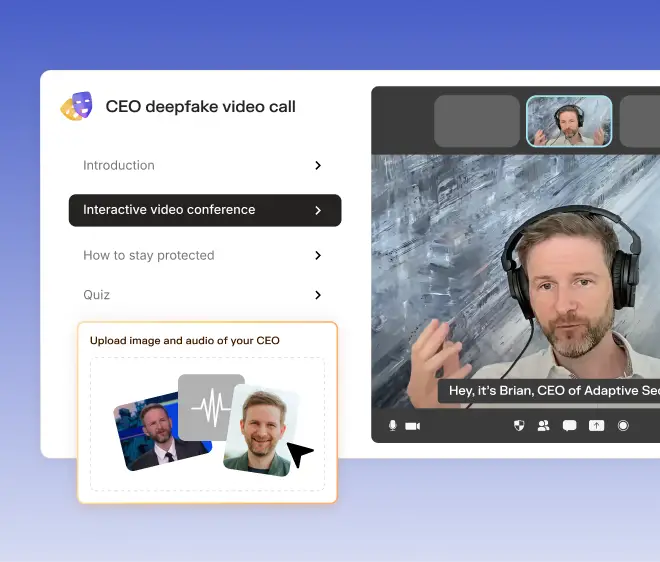
At Adaptive Security, we prepare employees for exactly this type of attack. Our platform runs phishing simulations that include trusted-source scenarios, where the technical signals are clean and the threat is entirely in the content. When an employee fails a simulation, Adaptive adjusts their risk profile, restricts relevant access controls, and delivers personalized training based on the specific attack they encountered. Employees build skills against the exact attack patterns they are most vulnerable to.
Adaptive Email Security extends that protection into the inbox itself. It analyzes message content and intent, specifically the layer where trusted-source attacks carry their payload. When it catches a threat, it already has the targeted employee's risk score, simulation history, and training record in the same platform. Detection triggers training automatically, with no separate workflow or tool required.

What Security Teams Should Do Now
This incident points to three concrete actions.
Start by auditing your own transactional email flows. Every field in your account creation or profile management system that feeds into outbound email is a potential injection point. This is a standard security practice. Most teams apply it to web applications and leave their email infrastructure unexamined.
Next, update your phishing simulation program to include trusted-source scenarios. If your simulations only test whether employees can identify suspicious sender addresses, you are preparing them for attacks that sophisticated actors are already moving past. Employees need exposure to scenarios where the sending domain is real and the threat is embedded in the message content.
Finally, train employees to go directly to a platform through their browser when any email involves financial accounts, security alerts, or urgent requests. That single habit would have protected every Robinhood customer targeted in this campaign.
Beyond those three steps, consider running a shadow-mode audit of your current inbox exposure. Adaptive Email Security's shadow mode connects to your Google Workspace or Microsoft 365 environment and runs detection across your full inbox without blocking or quarantining anything. No mail routing changes are required. You get a clear picture of what is actually reaching your employees under your existing defenses today, before deciding what to do about it.
The Bigger Picture
The sophistication of this approach should concern every CISO. An attacker who understands how to route a campaign through legitimate infrastructure holds a real advantage over current defenses. Today, the payload was a crypto wallet scam targeting retail investors. The same delivery mechanism could carry far more targeted content aimed at employees, executives, or high-value accounts inside your organization.
AI is making this worse faster than most organizations are adjusting. In 2024, AI-powered social engineering attacks in the United States increased 17-fold, reaching over 100,000 incidents. As attackers combine AI-generated content with trusted delivery infrastructure, attacks become harder to detect and cheaper to run at scale.
The organizations that will be prepared are the ones investing in employee judgment now. A year from now, the delivery mechanisms will be more sophisticated and the pretexts more convincing. What will determine outcomes is whether your employees have been trained to recognize manipulation when every other signal says the message is safe.
Book a demo with Adaptive Security to learn how to prepare your teams for this generation of attacks.


Contents


.webp)